
PROCREATE Tips & Tricks
Remove White Background from Imported Ink Drawing

Remove White Background from Imported Ink Drawing

In this episode I explain how to import an ink drawing you made on paper into Procreate and two options how to erase the white background. You can watch the video tutorial on my YouTube channel.
Export drawing
You have made an ink drawing on paper and want to color it in Procreate. First export the drawing to the Photo app on your iPad.
Import Ink Drawing
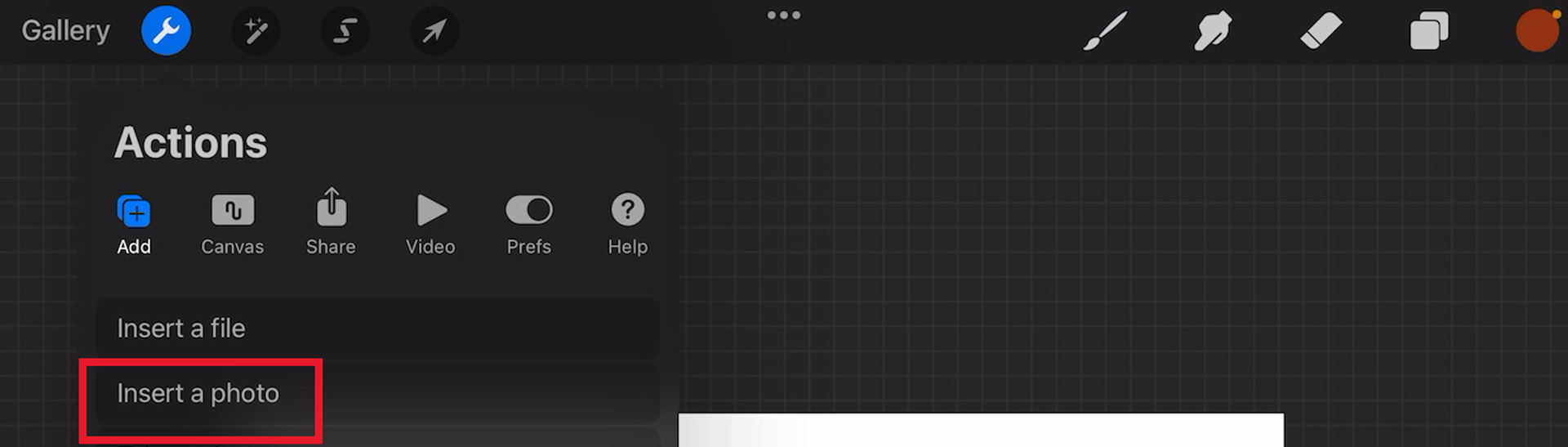
In Procreate open a new canvas. Then tap on the Actions Button in the upper left corner.(The Wrench icon). Then select Insert a photo. Then select the image from the Photo app and import it into Procreate. The image will be placed on a new layer in Procreate.
Option 1
Multiply
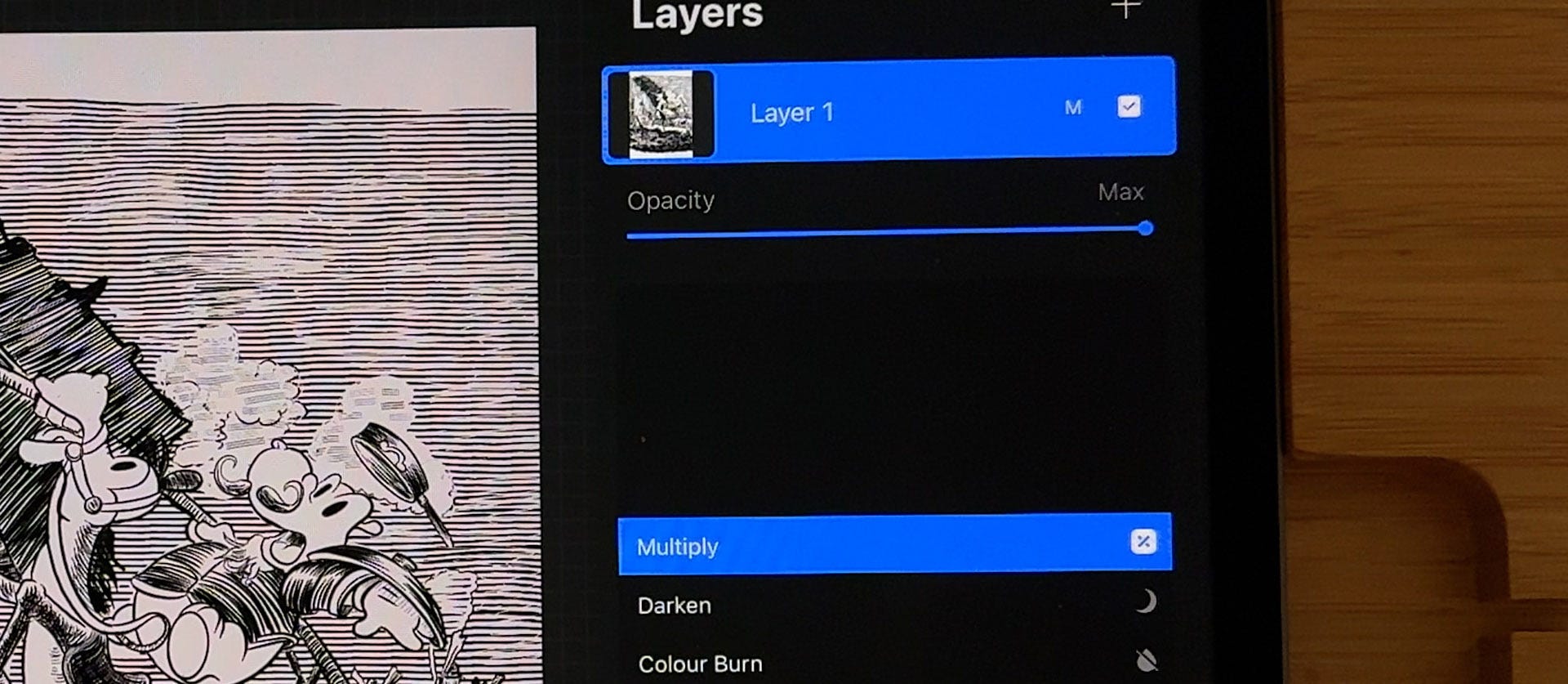
Go to the layer with your imported artwork and tap on the N. Now you see all the Blend modes of the layer. Scroll up and select Multiply. With Multiply the white background becomes transparant and you can create a new layer and drag it underneath to start coloring .
Option 2
Separate White Background
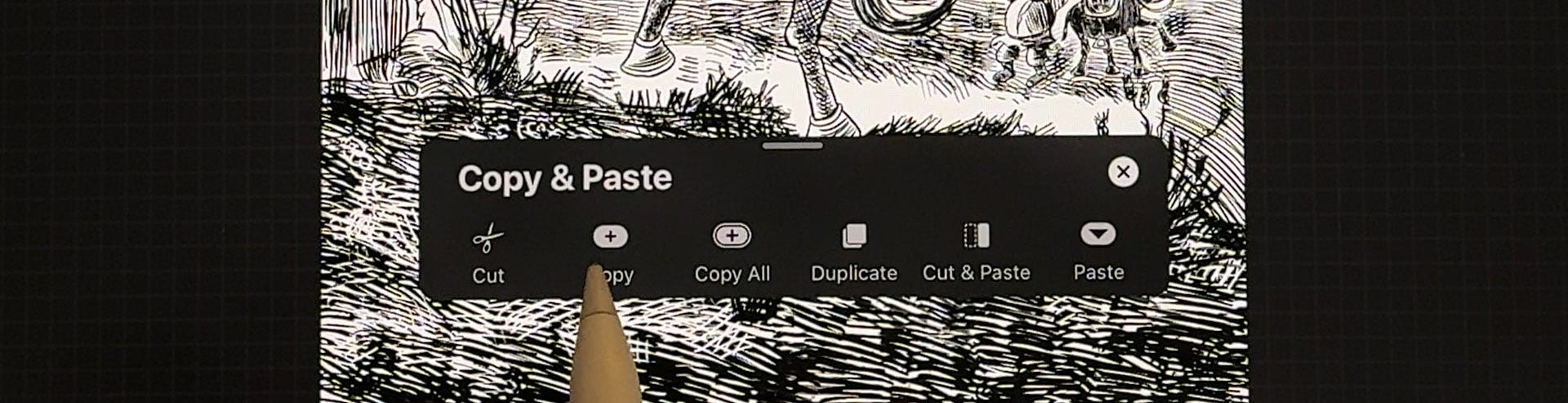
The second option is the best solution and gives you more flexibility. Select the layer with the artwork. On the canvas swipe with three fingers down. Now you see a menu. Tap on Copy.
Mask layer

Got to to the layers menu and add a new layer. Tap on the Plus in the upper right corner. You have added a new layer on top of your artwork. Now select the Color Menu (the little circle in the upper right corner) and select 100% black. Drag the color from the little circle onto your canvas. The layer is now black.
Create a Mask

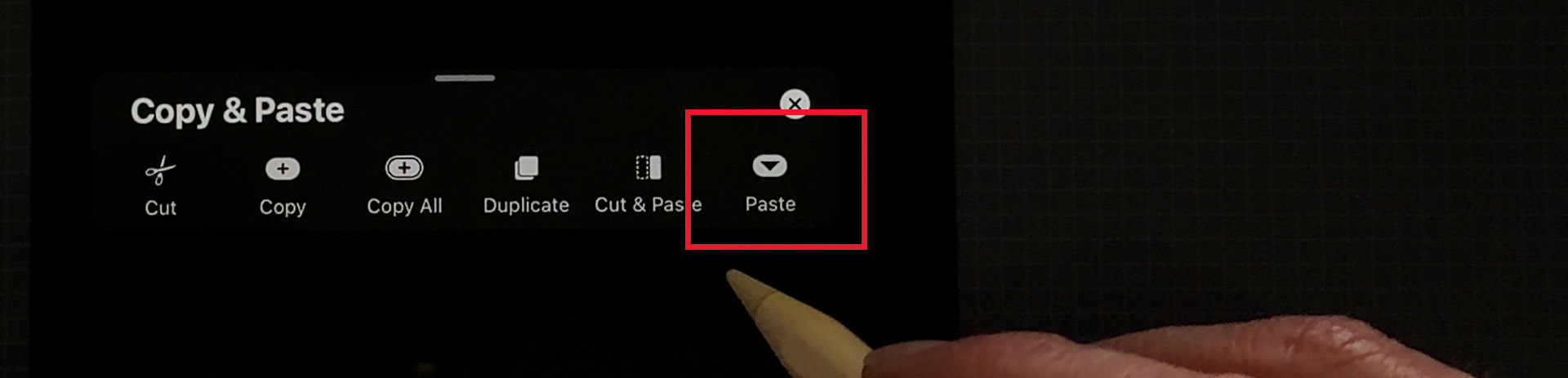
Go back to the layers panel and tap on the layer. A menu pops up. Select Mask. Then swipe down with three fingers on the canvas and select Paste.
The artwork is now in negative. Go to the layers panel and tap on the Mask layer on top. A menu pops up. Now select Invert. Your artwork is now positive. Now place two fingers on the Mask layer and the black layer and pinch them together to merge them together. You now have deleted the white background from your inks.
Color Linework
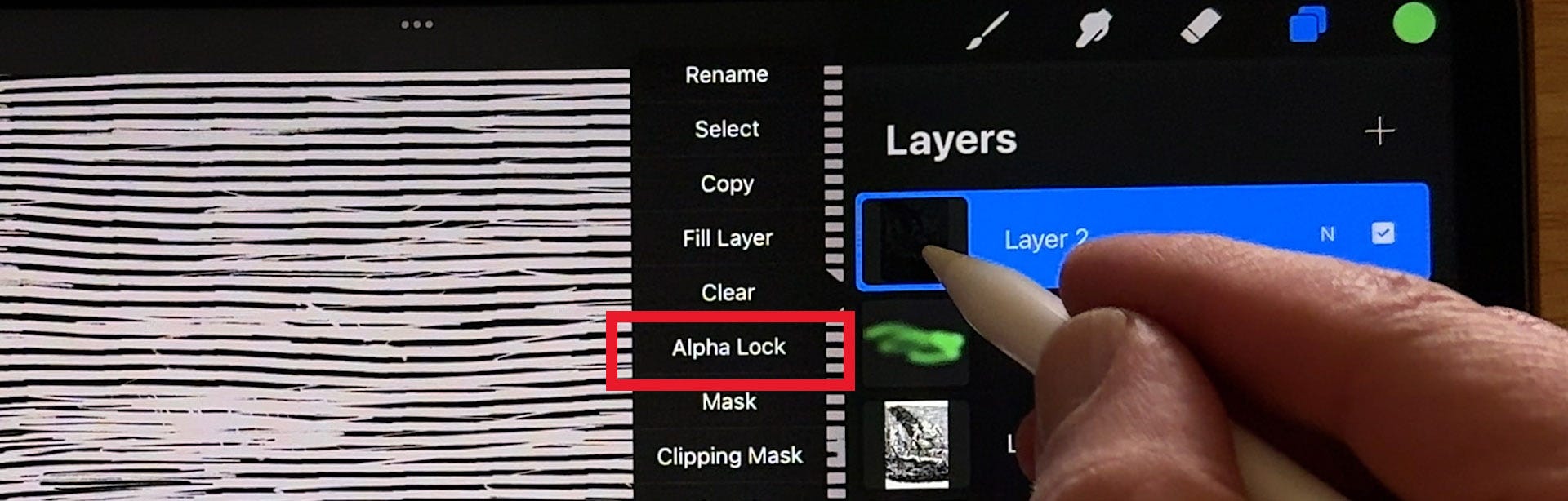
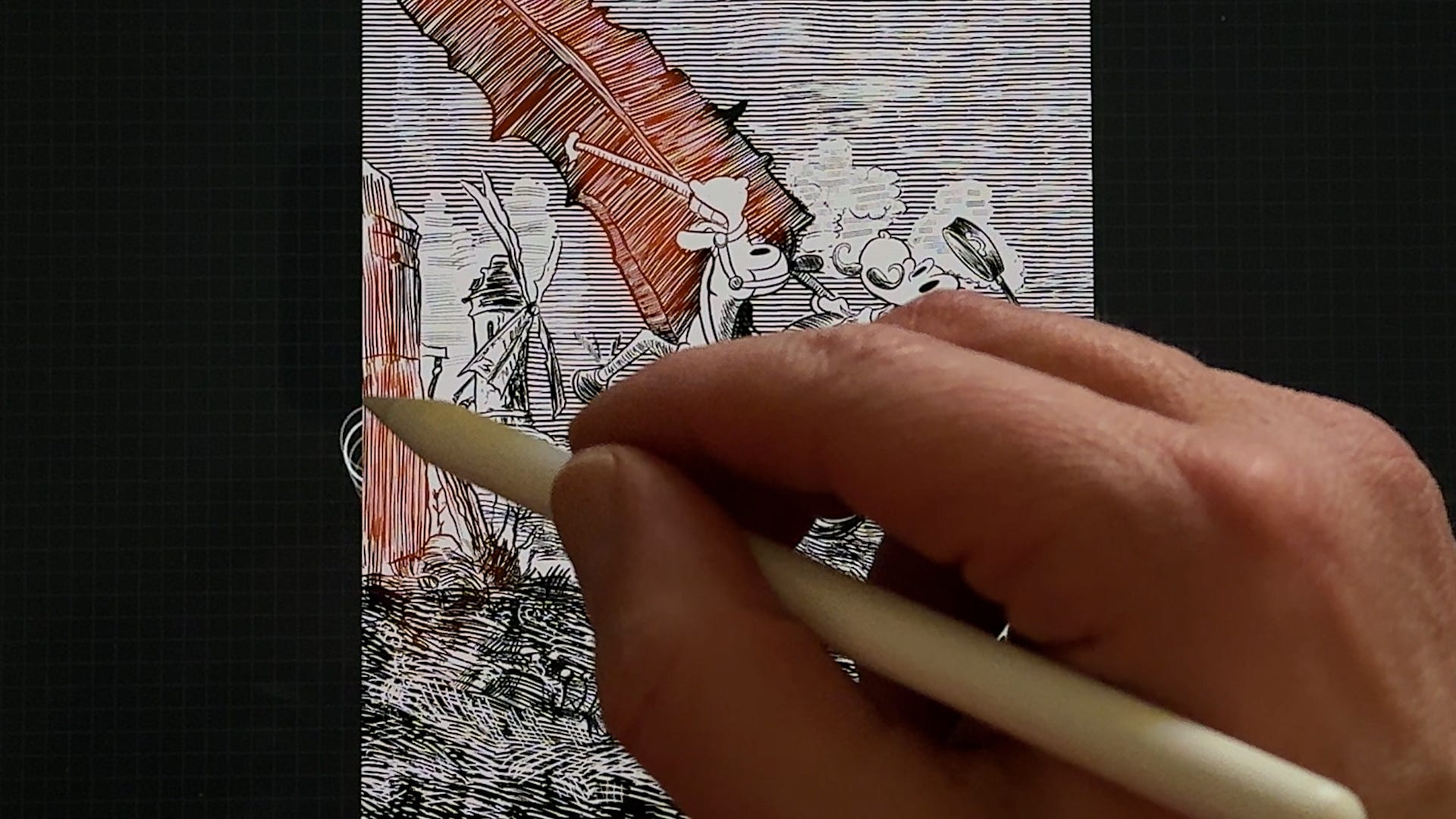
You can now also color your linework. Select the layer and tap on it. A menu pops up. Select Alpha lock. You can also swipe with two fingers from left to right to activate Alpha Lock. With Alpha lock active your inkwork is separated and you can color the inks with different colors. Create a new layer and drag it below to color your artwork.
If you like this tutorial, please give it a like and share it with your friends. Substack has its own app. If you download the app you can view more content of Stayf Draws.
Drawing is fun and practice makes perfect, doodles!
Stefan de Groot